

- An Agent Vault instance set up with credentials and credential brokering rules for the services your agent needs to reach.
- A Claude Code agent proxying its requests through Agent Vault, making authenticated requests to GitHub without holding any real credentials. This, by the way, works with any other agent (OpenCode, OpenClaw, Hermes Agent, custom agents, etc.) and even traditional deterministic workloads.
Prerequisites
- An Agent Vault server installed and running on a separate host from where the agent will run, and reachable over the same network.
- An API key to broker for Claude Code. This tutorial uses a GitHub personal access token (PAT), invoked via the GitHub CLI, but this could be any credential and tool combination.
http://<your-host>:14321. Step 6 runs the agent on the agent host.
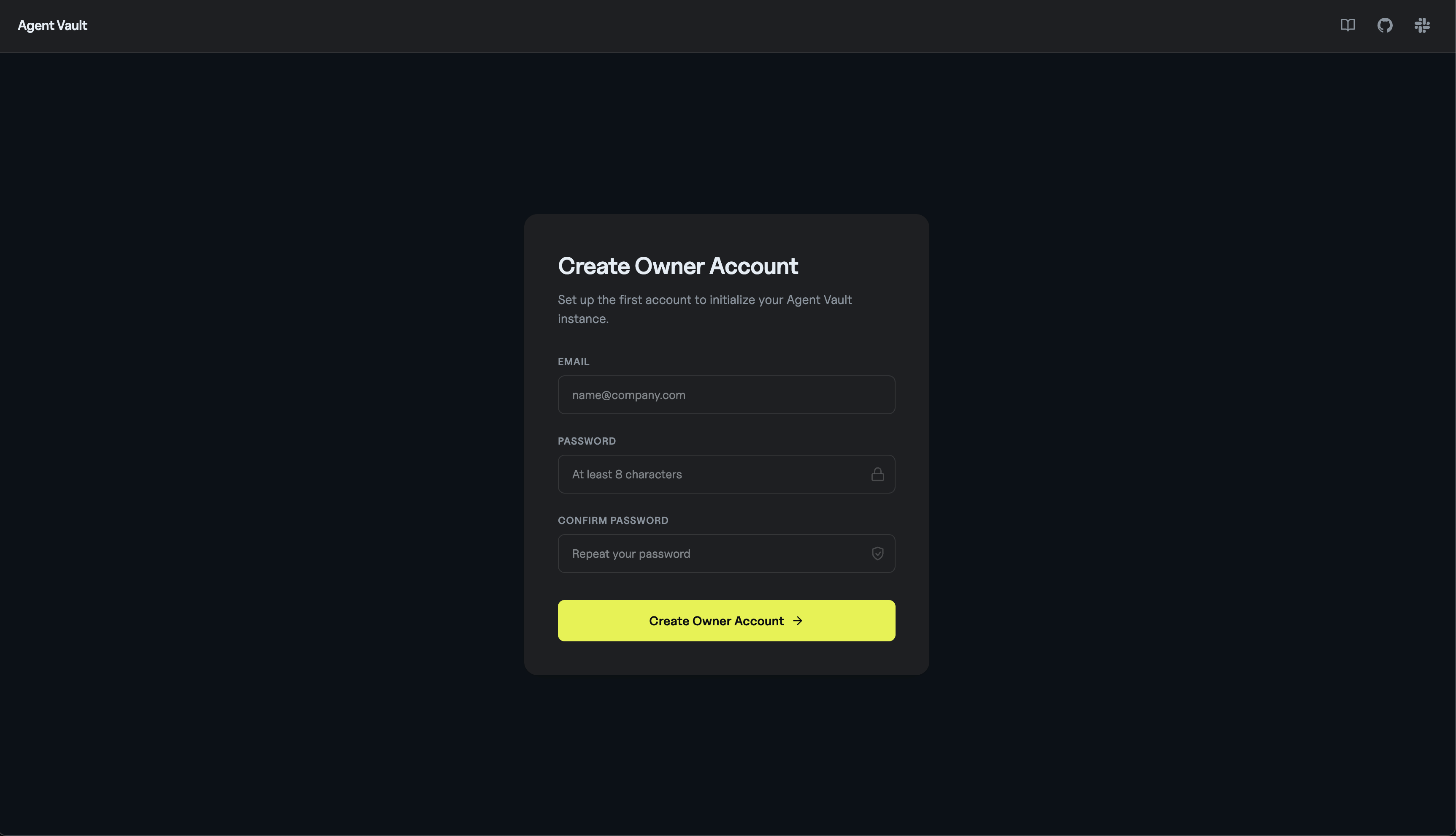
1. Register the instance owner
Openhttp://<your-host>:14321/register in a browser and create your account. The first user to register becomes the instance owner and is auto-granted admin on the default vault.
2. Create a vault
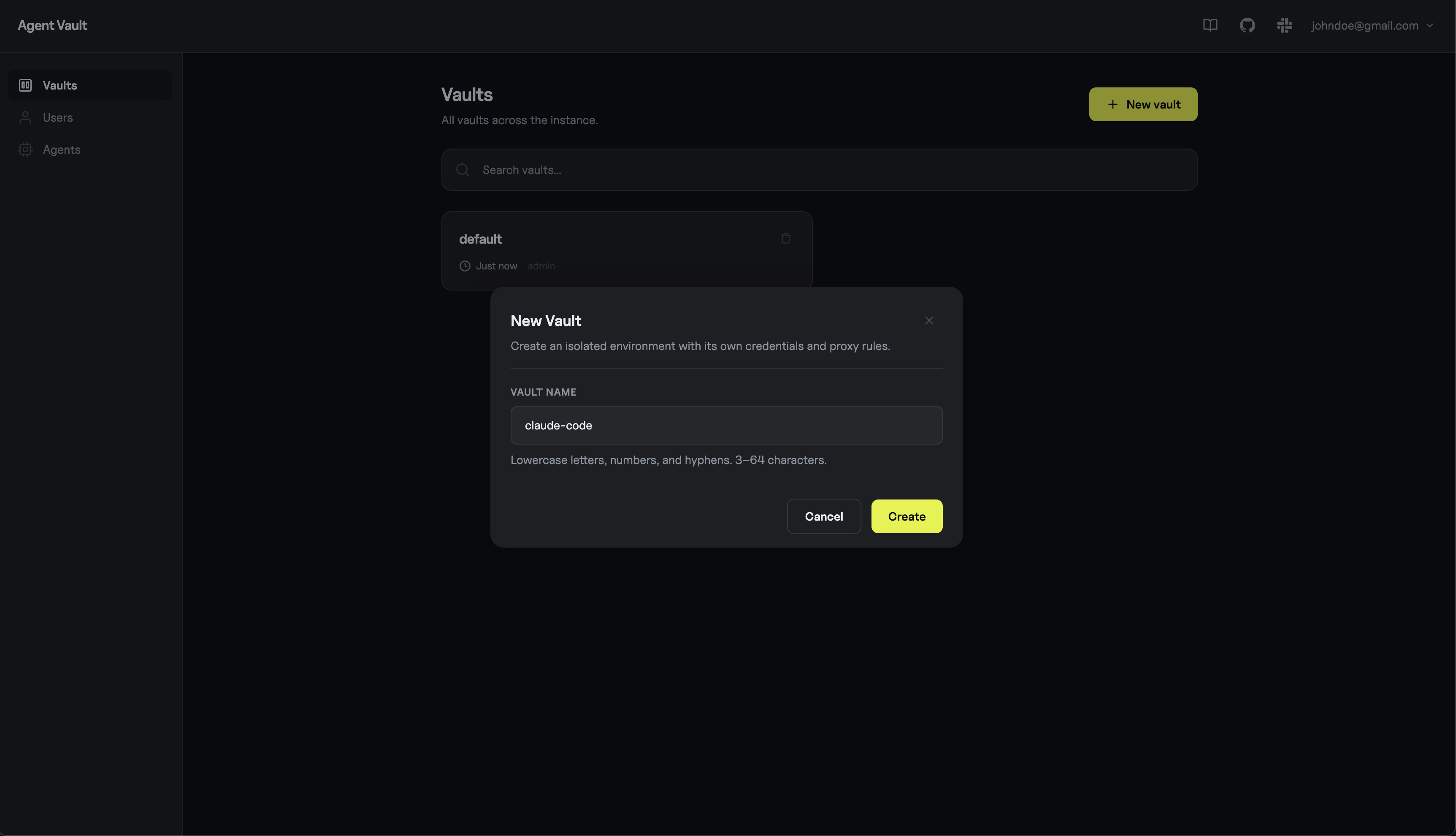
A vault is the logical container for credentials, services, and the agents allowed to use them. Thedefault vault is fine for testing, but we’ll create a dedicated one to mirror real usage.
In the sidebar, open Vaults and click New vault. Name it claude-code and create it.
3. Add a credential
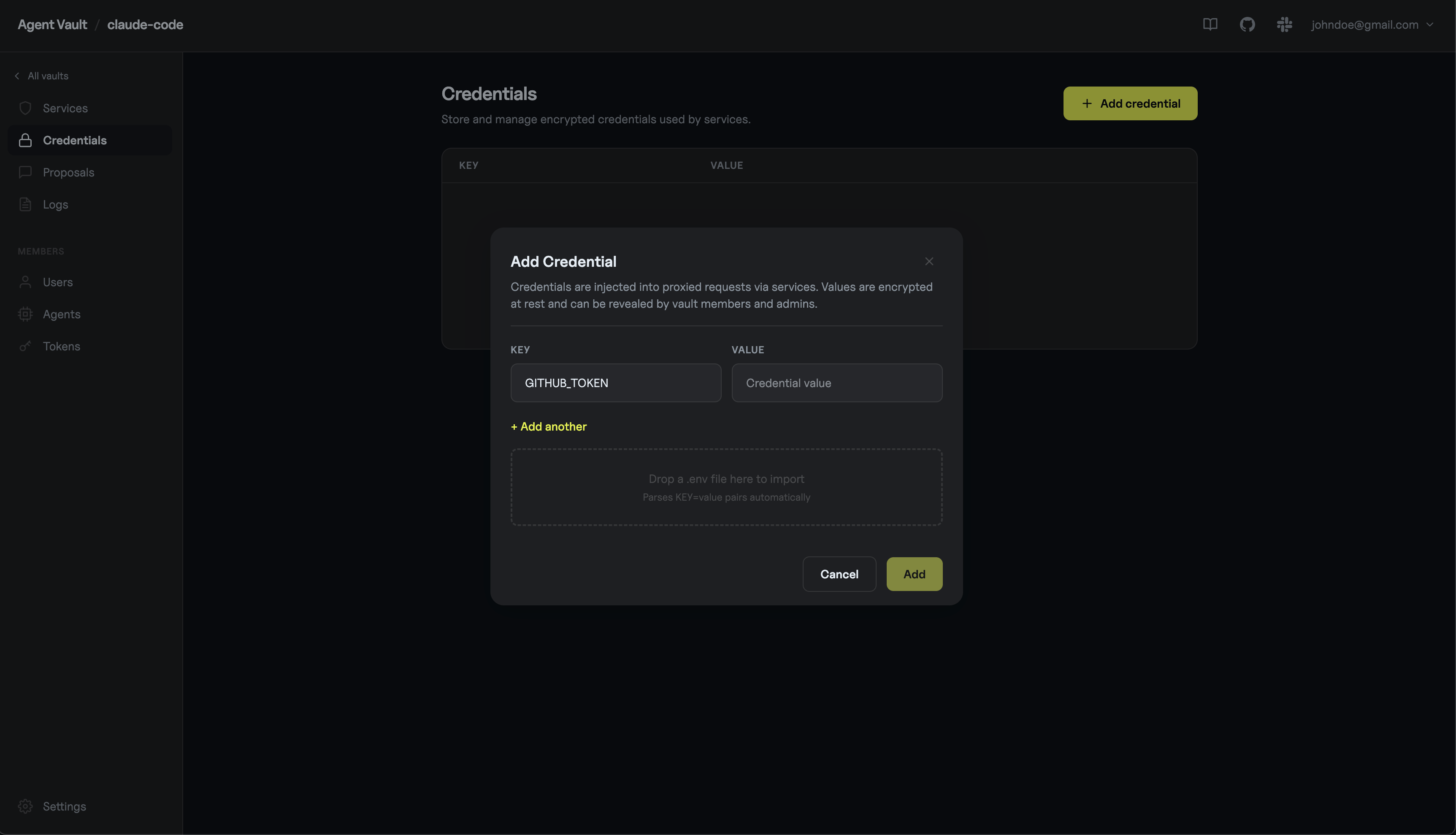
Open theclaude-code vault and go to the Credentials tab. Click Add credential and enter:
- Key:
GITHUB_TOKEN - Value: your GitHub PAT (
ghp_...)
4. Define a service
A service tells Agent Vault which upstream host the agent can reach and how to wire the credential in. For this tutorial we’ll use the passthrough + substitution pattern: Agent Vault doesn’t pick an auth header for you, it just swaps a placeholder string the agent sends for the real credential. In the same vault, go to the Services tab, click Add service, and enter:- Name:
github - Host:
api.github.com - Auth type:
passthrough - Substitution:
- Key:
GITHUB_TOKEN - Placeholder:
__github_token__ - In:
header
- Key:
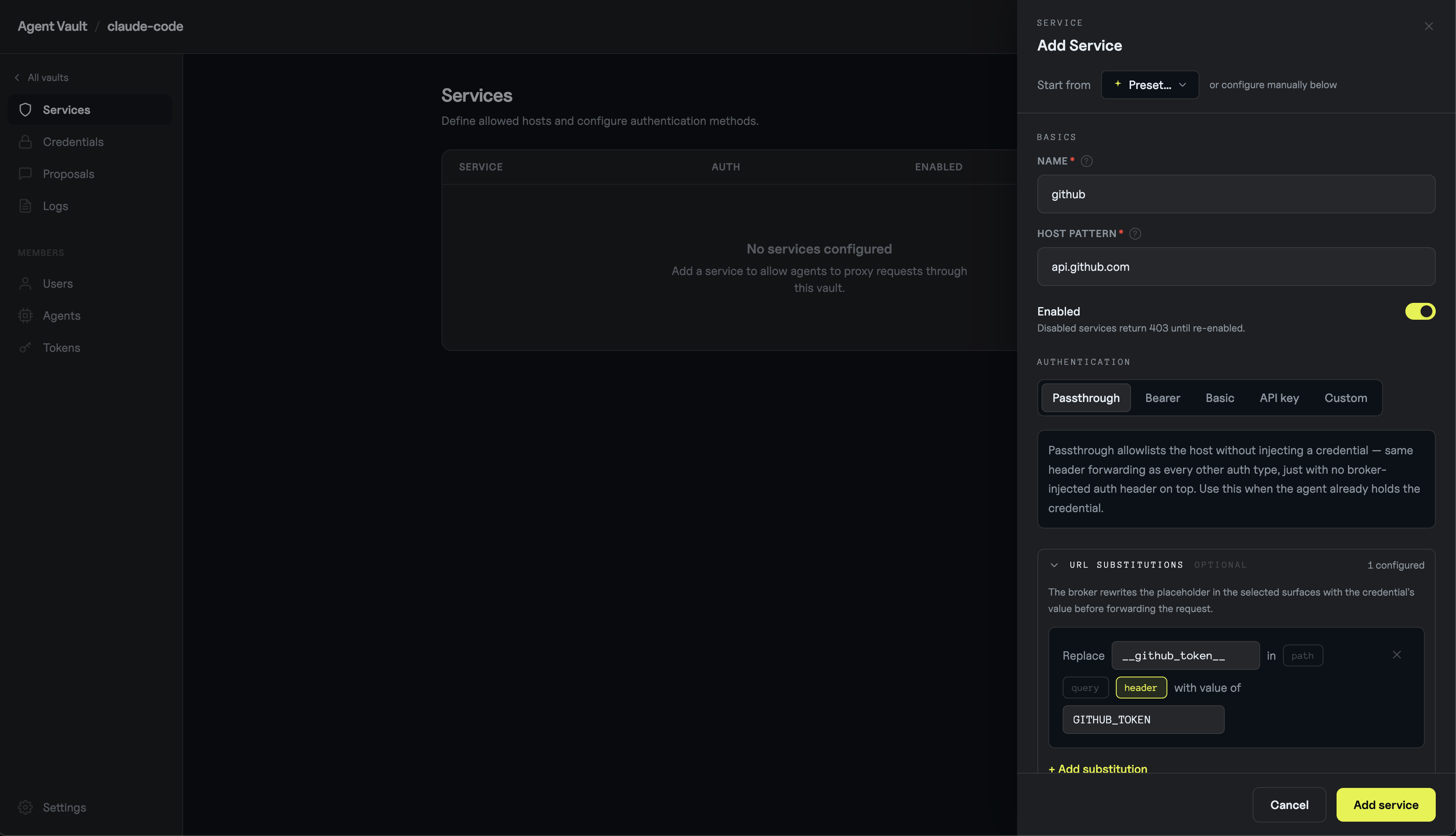
api.github.com that includes the literal string __github_token__ in a header gets that placeholder swapped for the real credential before being forwarded upstream.
5. Create an agent
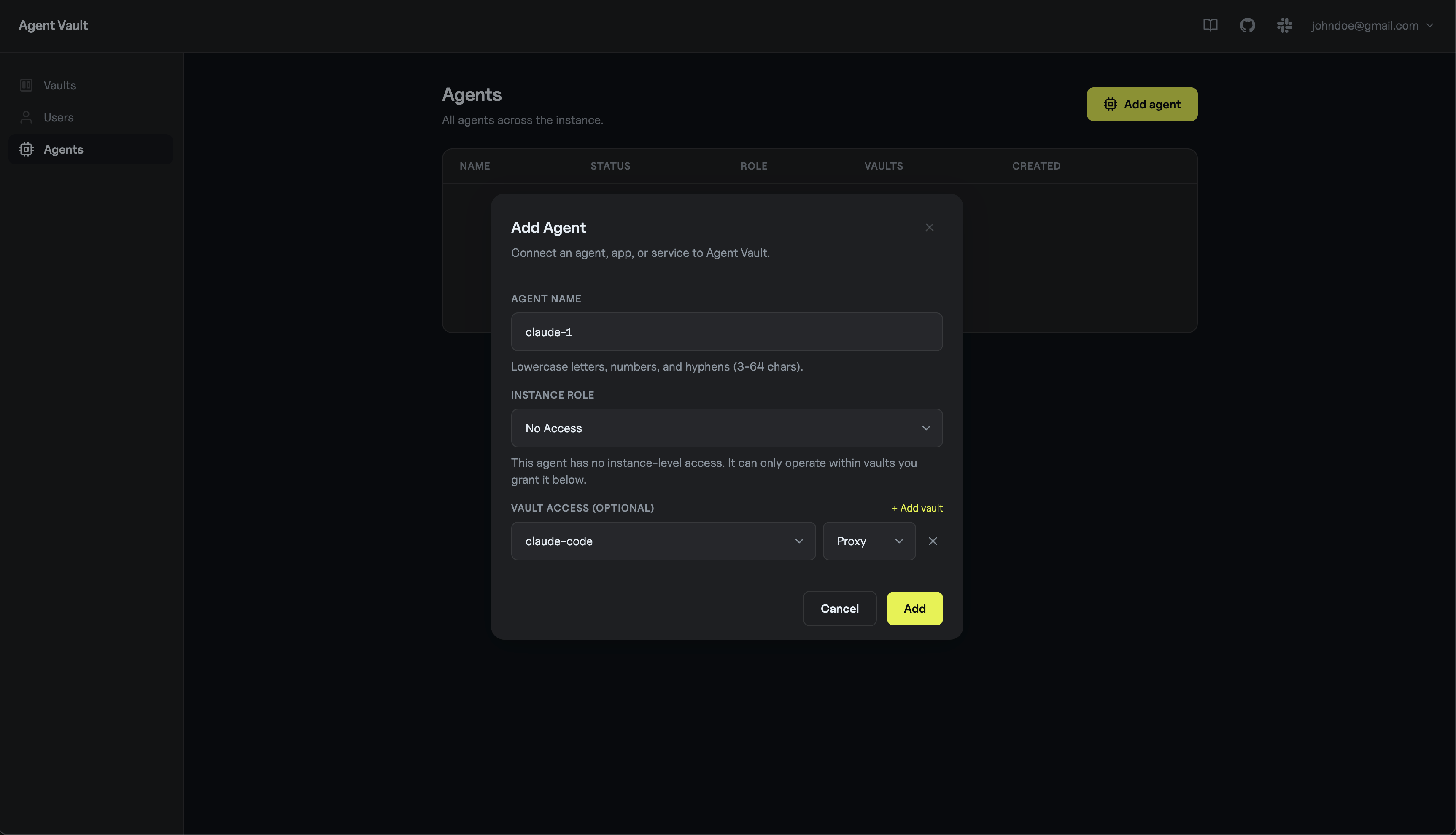
In the sidebar, open Agents and click Add agent. Name itclaude-1 and grant it the proxy role on the claude-code vault.
6. Run Claude Code through Agent Vault
Everything else happens on the agent host (the machine where Claude Code runs, separate from the Agent Vault server). Pick the flavor that matches your setup.- Shell
- Dockerfile
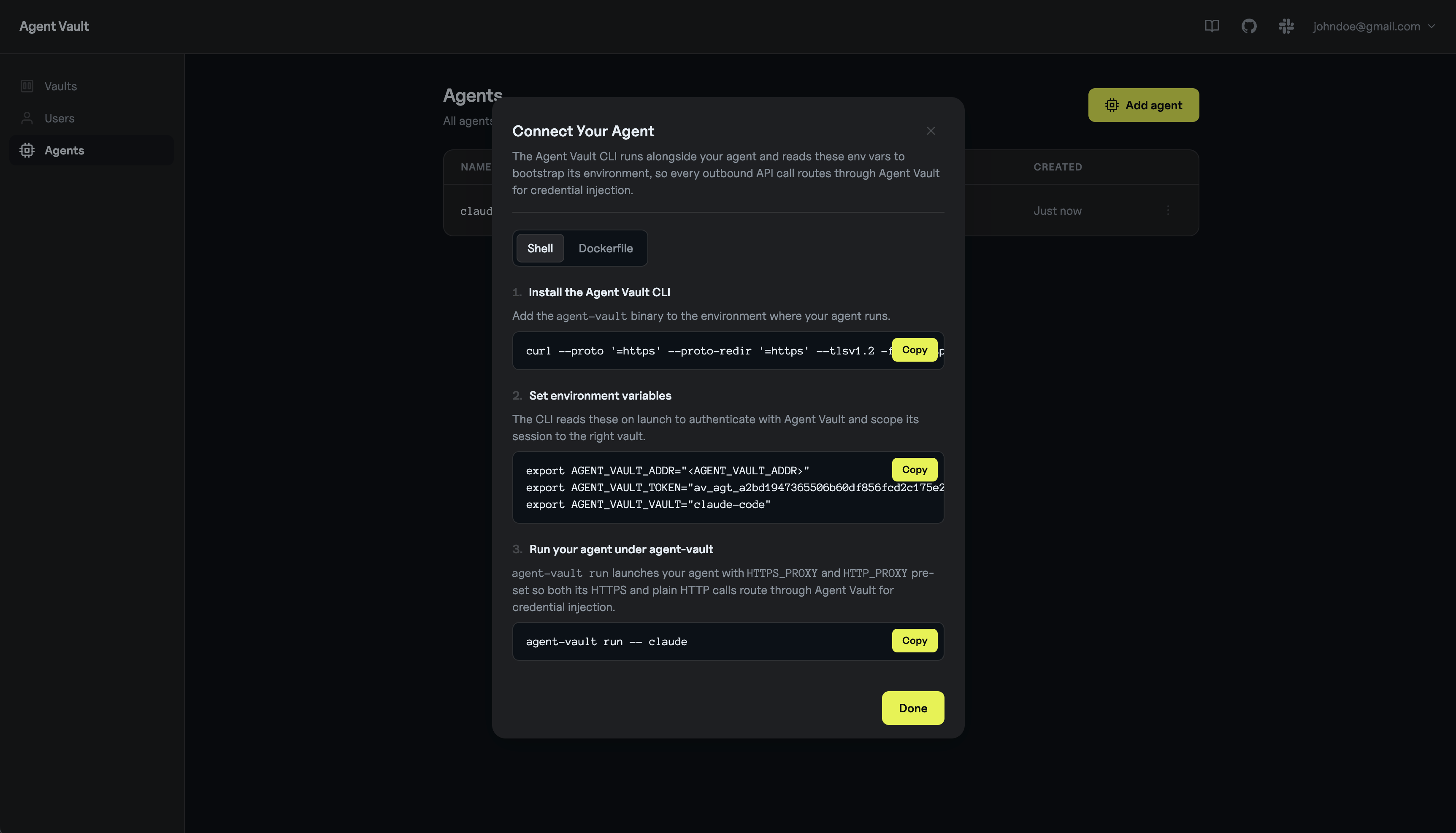
Install the Agent Vault CLI:Install the GitHub CLI so Claude Code has a tool to talk to GitHub with.Set the three Agent Vault env vars (paste the block from step 5) plus
GH_TOKEN with the substitution placeholder, then wrap Claude Code with agent-vault run:agent-vault run command bootstraps the agent’s environment so that API calls, including those invoked via CLI/SDK/MCP, get routed through Agent Vault.
Inside the Claude Code session, ask it to use gh. For example:
List my 3 most recently updated GitHub repos using the GitHub CLI (gh).
Claude Code should use the GitHub CLI to fetch your repos and print them back. Agent Vault holds the real PAT the entire time; Claude Code and gh only ever see the placeholder.
7. (Optional) View the request in Agent Vault
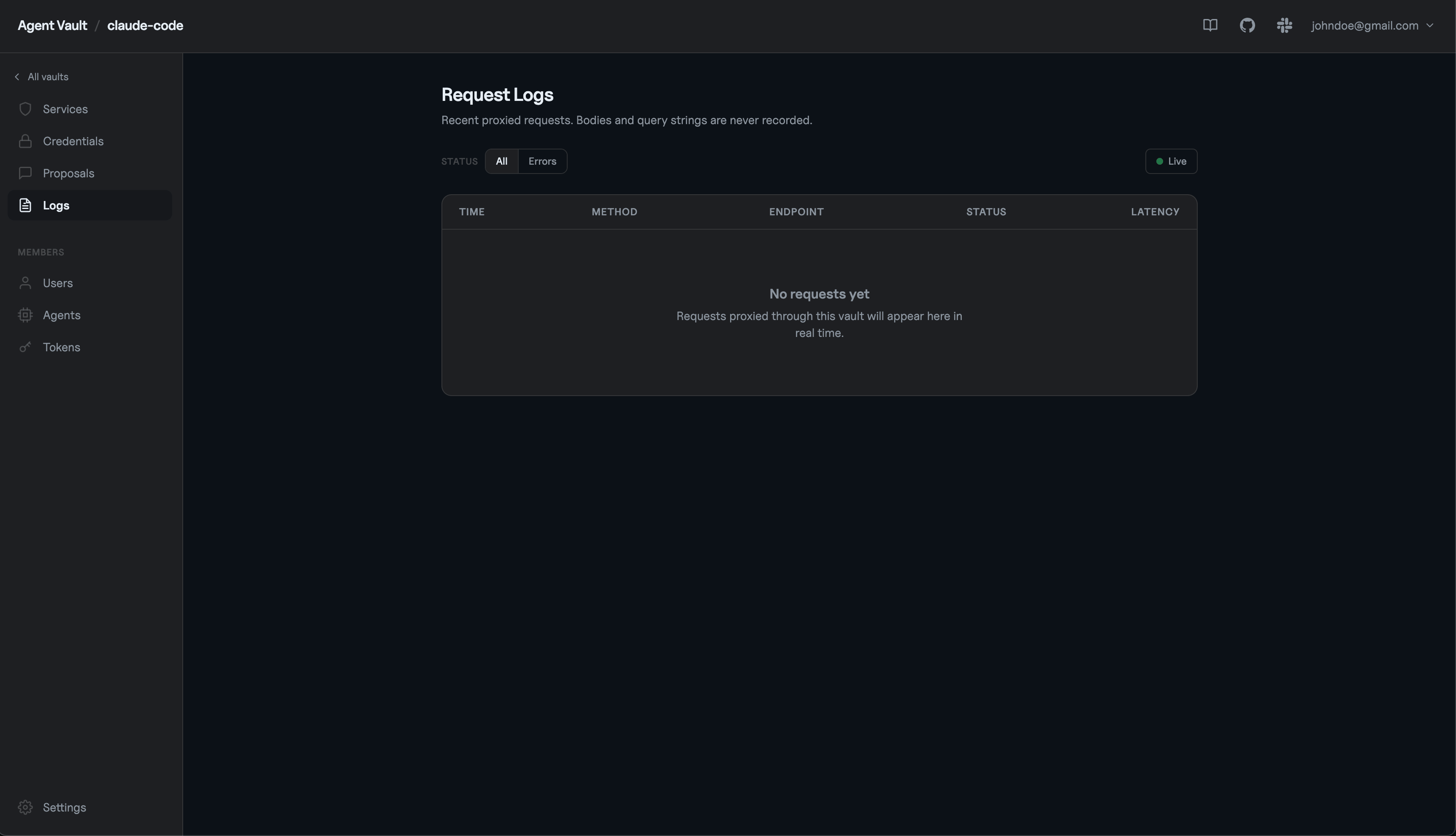
Back in the web UI, open theclaude-code vault and click the Logs tab.
You should see the request the agent just made to api.github.com, including the method, path, response status, and which service matched.
Next steps
Connect more agents
Cursor, Codex, OpenCode, and custom runtimes.
Services
Auth types, path scoping, and substitutions.
Permissions
Instance and vault roles for humans and agents.
Credentials
Storage, encryption, and lifecycle.